Setup
Company profile and taxes
Enter required details, bank details, small-business (Kleinunternehmer) status and number ranges with care.
Company details
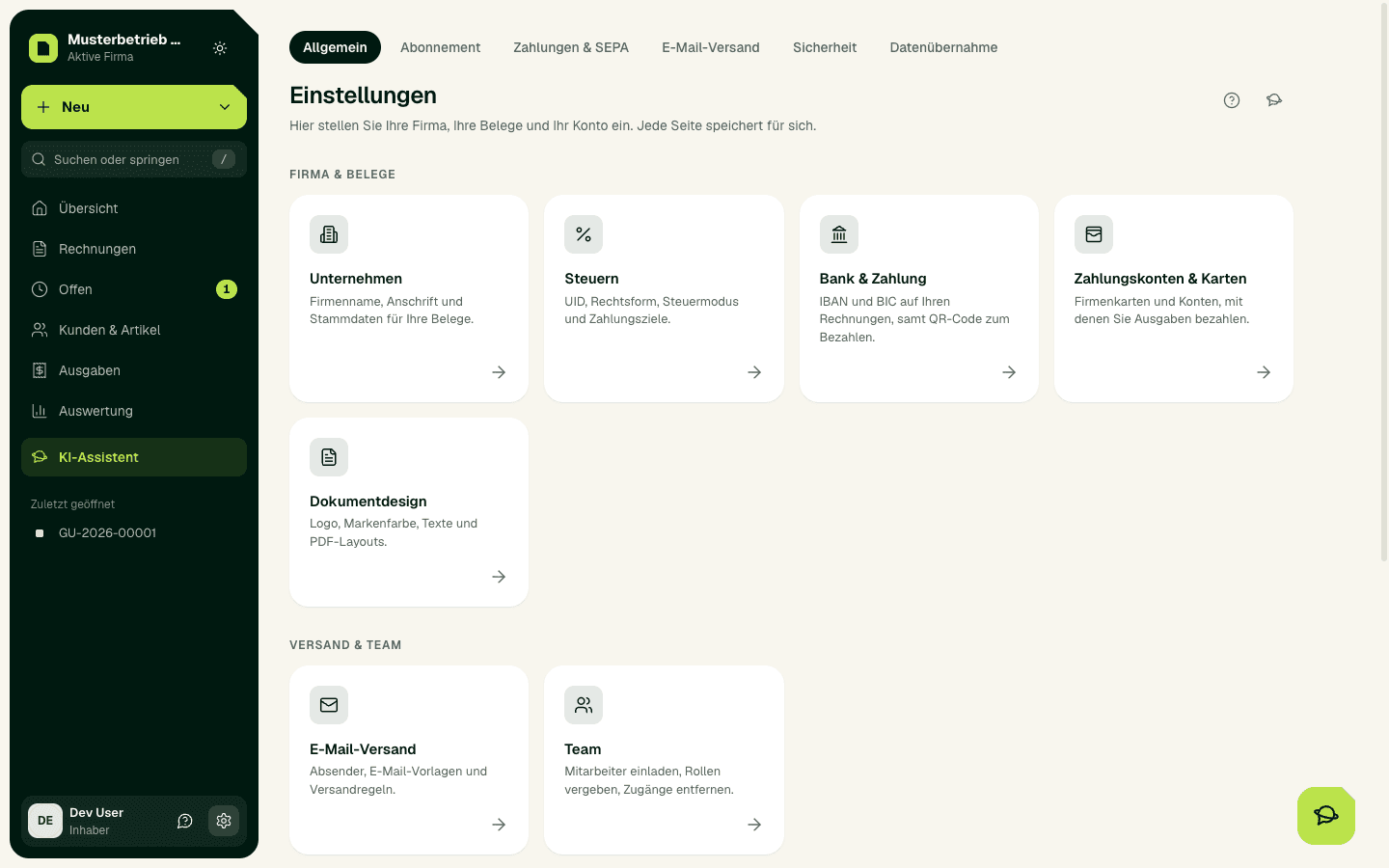
Open Settings › Company. Enter company name, full legal name with legal form, address, postcode, town and country. These details appear on every invoice. Website or email address go into the footer under Settings › Document design.
Tax profile
- Open Settings › Taxes and enter your UID number. Check it with Check saved VAT ID via VIES. Once your UID is checked, SoPasst also keeps the VIES consultation number when it checks your customers' UIDs.
- If your firm is in the companies register (Firmenbuch, for example GmbH, e.U., OG, KG), enter the register number and the register court. Without them no invoice can be issued (§ 14 UGB).
- Choose whether you are a Kleinunternehmer (small-business exemption). Your invoices then show no VAT (USt).
- In the tax profile, confirm legal form, profit calculation method, VAT basis (Soll or Ist) and UVA period. Reports and the Steuerberater package depend on them.
- Set the default VAT rate, default payment terms, default customer type and the days until the reminder after the due date.
Bank details
Under Settings › Bank & payments, enter IBAN, BIC and bank. The bank details appear on every invoice, and with an IBAN the PDF gets a QR code for paying.
Invoice number
SoPasst gives out the number when you issue, in sequence and without gaps. Under Settings › Document design, in the Invoice number area, you set the next number and whether the counter restarts at 1 every year. After the first issued invoice the format can no longer be changed. After a data migration you confirm here which number comes next.
Important
Final check
Create a draft, open the PDF preview and check the header and footer of the document. Only then issue your first real invoice.
Expected result
Saved company, tax and bank details stay unchanged in the settings after reloading and appear correctly in the PDF preview.
Common problems
An invalid UID or IBAN, a register number without a register court or missing required details prevent saving or issuing.
Continue safely
Correct the highlighted detail and save only that area. Then open a draft and check the PDF preview; if you have tax questions, ask your Steuerberater.