Master data
Products, services and stock
Create reusable line items and keep stock levels easy to follow.
Create a product or service
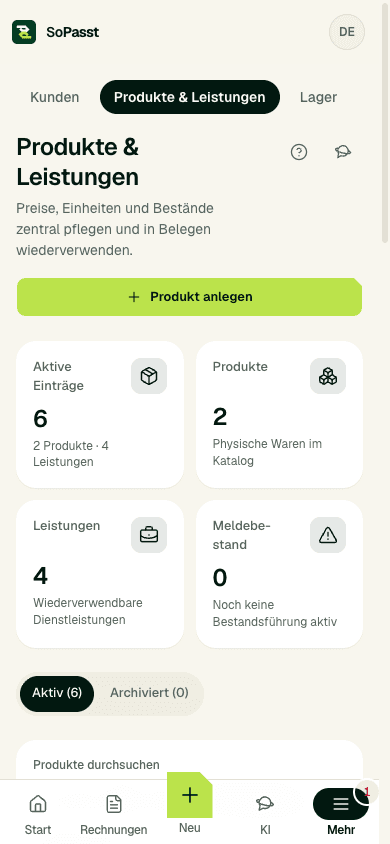
- In the sidebar, open Customers & items › Products & services.
- Choose Create product.
- Enter the name and choose the type: Service or Product (goods).
- Enter the price in € (net), the unit and the VAT % (USt). SKU and description are optional.
- Save with Create product.
Use in documents
In a document you pick a saved product as a line item. Name, description, price, unit and VAT are copied in. You can still change quantity and price in the draft before you issue it. Changing the product's price later does not change documents you have already issued.
Keep track of stock
You only track stock for goods. Turn on Track inventory on the product and, if you want, set a reorder threshold. You book stock in the sidebar under Customers & items › Inventory with Book stock.
- Choose Stock in or Stock out, the quantity and a reason: Purchase, Sale, Adjustment, Return or Opening stock.
- Before you save, SoPasst shows the new stock level. Stock cannot go below zero.
- Every booking stays in the history with time, reason and note, and cannot be changed.
- At or below the reorder threshold the item is listed under To reorder.
Important
Expected result
The product is in the catalogue with name, unit, price and VAT and you can pick it in a document. After a stock booking the item shows the new stock level.
Common problems
You cannot save without a name or with an invalid price. A service has no stock tracking: it is for goods only. An archived product only appears under Archived and no longer in documents.
Carry on safely
Correct the highlighted field and check the search, the type filter and the Archived tab. If a stock level is wrong, read the stock movements first and then book an adjustment.